Anime Eye Design Art Studio
Reviews
Anime Eye Design Art Studio offers a focused and relaxing creative experience. The color blending and pattern tools are easy to use, making it perfect for young artists and anyone who enjoys customization. The variety of characters and palettes provides plenty of room for experimentation. It is a great way to unwind and express artistic ideas without any pressure.
Description
Game Introduction
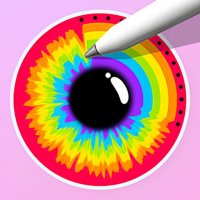
Anime Eye Design Art Studio is a creative online activity where players explore color and design by customizing eye colors for anime-style characters. Released in January 2025, this HTML5-based experience runs smoothly on all modern browsers and devices without any downloads. The core objective is to use a palette of colors and patterns to create unique eye designs that reflect personal artistic vision. What makes this game special is its focus on a single, detailed creative task: designing eyes. This allows for deep exploration of color theory, blending techniques, and small detail work in a safe, pressure-free environment. Suitable for ages three and up, it encourages imagination and artistic expression through color exploration. Players can experiment with different combinations and see their creations come to life on the character, making each session a new opportunity for creative discovery.
How to Play
To begin, players select one of the available anime characters from the menu. Then, they choose a color palette from the provided options. The typical process involves painting the eye base with a chosen color, then applying different tones for the middle section. Players can blend and blur shades together to create smooth transitions. After that, fun details like drops or hearts can be added. The final step is drawing a pupil or a smiley. Once the design is complete, players can preview it on the character to see the result. The controls are designed to be easy for young players, with simple point-and-click interactions.
Game Features
This game includes creative eye design tools that allow for detailed customization. Multiple anime characters are available to customize, providing variety. A wide range of colorful palettes gives players many color options. Fun patterns like drops and hearts can be added to designs for extra personality. The game features easy controls suitable for young players and supports full-screen mode for immersive play. Built with HTML5 technology, it offers broad compatibility across devices including computers, tablets, and smartphones.
Tips for Success
Experiment with different color combinations to discover unique and appealing looks. Try blending shades gradually for a more natural and polished appearance. Use the pattern tools to add personality and flair to your designs. Practice regularly to improve your color matching and blending skills. Most importantly, have fun and let your creativity guide you in each design session.