Creative Sticker Art Studio for Kids
Reviews
Creative Sticker Art Studio offers a wonderful mess-free way for children to explore their artistic side. The game provides a variety of shapes, colors, and sticker categories, encouraging imagination and fine motor skills. It is easy to use and completely safe, with no physical materials required. Saving and sharing designs adds a social element that kids enjoy. A great choice for young crafters.
Description
Game Introduction
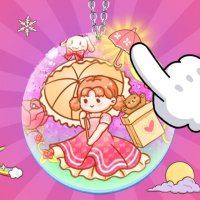
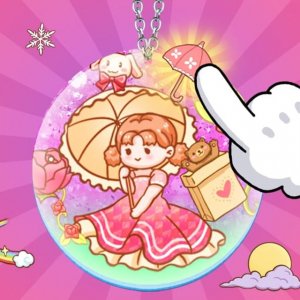
Creative Sticker Art Studio is an online activity designed for young artists who enjoy crafting and personalizing their creations. In this digital environment, children can design their own pendant stickers from scratch, using a variety of tools and decorations. The game encourages imagination and artistic expression by allowing kids to select pendant shapes, choose colors, and browse through different sticker categories. It provides a fun, mess-free way to explore design and color combinations without any physical materials. This makes it an ideal choice for children who love to create and share their artwork in a safe, controlled setting.
How to Play
Players typically begin by picking a pendant shape from the available options. Next, they choose a base color for their pendant. Then, they explore different sticker categories—such as cute animals, objects, angels, funny people, and patterns—and click on stickers to add them to their design. The background can also be customized to match the child's vision. Once the design is complete, players can save their creation for later viewing or share it with friends. The controls are simple and intuitive, making it easy for young children to navigate and express their creativity.
Game Features
Creative design tools for making pendant stickers. Safe for kids with no physical materials required. Easy mouse controls that are simple for young children to use. Multiple sticker categories including animals, objects, angels, and patterns. Customizable pendant shapes, colors, and backgrounds. Option to save and share finished designs with friends and family. The game provides a wonderful outlet for imagination without any unsafe steps or materials.
Tips for Success
Encourage children to experiment with different pendant shapes and color combinations to discover what they like best. Trying out various sticker categories can lead to unique and surprising designs. Saving designs allows kids to revisit and refine their work over time. Sharing creations with friends and family can boost confidence and inspire new ideas. Most importantly, let the child lead the creative process—there are no right or wrong designs, only opportunities for fun and self-expression.