Cosmic Avatar Creator
Reviews
Cosmic Avatar Creator offers a relaxing and imaginative experience for players who enjoy designing characters. With a wide selection of races, hairstyles, outfits, and accessories, you can create unique avatars inspired by space themes. The interface is easy to navigate, and the ability to save pictures makes it easy to share your creations. It is a family-friendly game that encourages creativity without any inappropriate content.
Description
Game Introduction
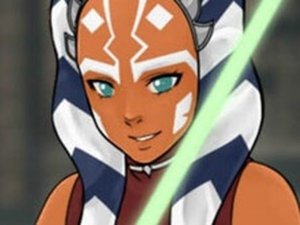
Cosmic Avatar Creator is a creative tool that allows players to design original characters inspired by space themes. The core objective is to build a character that reflects your personal style or story. You start by selecting a base and then choose from a variety of races, such as Twi'Lek, Human, Togruta, Miraluka, Mirialan, Rattatakj, Sith, Zabrak, or Chiss. After setting these basics, you explore many options to bring your ideal character to life. You can recreate yourself, a friend, or a family member, or invent a completely new character from your imagination. The game makes this process easy and fun. It encourages creativity in a safe environment. What makes it unique is the wide selection of races and customization options, allowing for many different looks. You can experiment with different combinations to see what works best. The game is family-friendly and focuses on imagination. It does not include any violent or inappropriate content. You can spend time trying out different features and save your favorite designs. The game is suitable for players of all ages who enjoy creative activities. It provides a relaxing and engaging experience where you can express yourself through character design.
How to Play
Players use the menu on the right side of the screen to customize their avatar. There are six main sections to explore. The makeover section lets you adjust skin color, eyes, eyebrows, lips, and noses. The hairstyles section allows you to design top and bottom hair, add ponytails, and choose hair accessories. In the dress up section, you can browse outfits, pick colors, and use paint coats for unique looks. The Misc section includes hand items, head pieces, goggles, glasses, masks, pets, and companions. You can also select a background that suits your character. Finally, click the camera button to save a picture to your computer. The interface is simple and easy to navigate. You can change any part of your character at any time. The game encourages trying different combinations to see what you like best. There are no time limits or scores, so you can play at your own pace. The focus is on creativity and personal expression.
Game Features
The game offers a wide variety of customization options. You can choose from many races, including Twi'Lek, Human, Togruta, Miraluka, Mirialan, Rattatakj, Sith, Zabrak, or Chiss. There are many hairstyles, outfits, and accessories to explore. The makeover section allows you to adjust facial features like skin color, eyes, eyebrows, lips, and noses. You can also add pets and companions to your character. The background selection helps set the scene for your avatar. You can save a picture of your creation to your computer. The game is family-friendly and encourages imagination. It provides a safe environment for creative play. The interface is designed to be easy to use for all ages. You can experiment with different combinations to discover unique looks. The game does not include any inappropriate content. It is purely focused on character design and creativity.
Tips for Success
Try different combinations of races, outfits, and accessories to find unique looks. Layer items from different sections to create more detailed characters. Use the background to complement your avatar's theme. Save multiple versions of your character to compare styles. Share your creations with friends for inspiration. Take your time exploring all the options available. The more you experiment, the more you will discover. Have fun and let your imagination guide you.